how-i-cancel-call-forwarding -
Call forwarding is a useful feature, but it can quickly turn into a problem if it stays on when you no longer need it. Many people suddenly realize their phone is quiet call forwarding, only to find out that incoming calls are being redirected to another number. This can lead to missed important calls, communication gaps, and even privacy concerns.
In this complete guide, I’ll explain how to cancel call forwarding step by step, how it works, when to use it, and how to fix common issues when call forwarding won’t turn off. Everything is , based on real phone behavior, Call Forwarding so you can confidently manage your call forwarding settings on iPhone, Android, or through USSD codes.
What Is Call Forwarding and How It Works
Call forwarding is a phone call forwarding feature that redirects incoming calls from your main number to another number. Instead of ringing on your phone, the call is automatically sent elsewhere. This can be another mobile number, a landline, a VoIP number, or even an office phone system.
When call forwarding is active, incoming calls are redirected based on the rules you set. Some people use it so calls go to a work phone during office hours. Others forward calls automatically when traveling or when their phone has no signal.
The process itself happens at the network level. That means your mobile carrier or phone system controls call redirection, not just your device. This is why sometimes call forwarding keeps turning on or doesn’t turn off easily. Even if your phone is switched off, calls may still be forwarded.
Understanding this basic idea helps a lot. If calls are going to another number, it’s usually because a call forwarding option is still active in your phone app settings or on your carrier’s network.
Types of Call Forwarding (Unconditional vs Conditional)
There are two main types of call forwarding, and knowing the difference makes it much easier to manage or cancel call diversion correctly.
Unconditional call forwarding means always forward calls. Every incoming call goes straight to another number without ringing your phone. This is often used when someone is on vacation or temporarily unavailable. If you forgot to turn off call forwarding after using this, your phone may appear dead even though it’s working fine.
Conditional call forwarding works only in specific situations. This includes:
- Forward when busy
- Forward when unanswered
- Forward when unreachable
With conditional call forwarding, unanswered calls forwarding happens only if you don’t pick up within a set time. Forward when busy sends calls away if you’re already on another call. Forward when unreachable works when your phone is off or has no network.
Most problems happen when people don’t realize which type is active. You might turn off one option, but another rule is still running in the background. That’s why it’s important to check all call forwarding settings carefully.
When and Why You Should Use Call Forwarding
Call forwarding is not bad. In fact, it’s very helpful when used correctly. The problem starts when it’s left on by mistake.
You may want to use call forwarding in situations like:
- You’re traveling and your main number has no service
- You’re working remotely and want calls on another phone
- You manage business calls through a VoIP system
- You don’t want to miss calls when your phone battery dies
In professional settings, forwarding calls to another number helps with remote work communication and professional call handling call forwarding . Doctors, consultants, and support teams often rely on it.
However, if you forgot to turn off call forwarding, it can cause missed important calls. Friends, family, or clients may think you’re unavailable. In some cases, it may also expose your personal number if calls are forwarded carelessly.
The best way to manage call forwarding is to use it only when needed and always test call forwarding settings after turning it on or off call forwarding.
How to Turn Call Forwarding On or Off on iPhone
If you’re using an iPhone, Apple makes it fairly simple to manage call forwarding, but the setting is easy to forget.
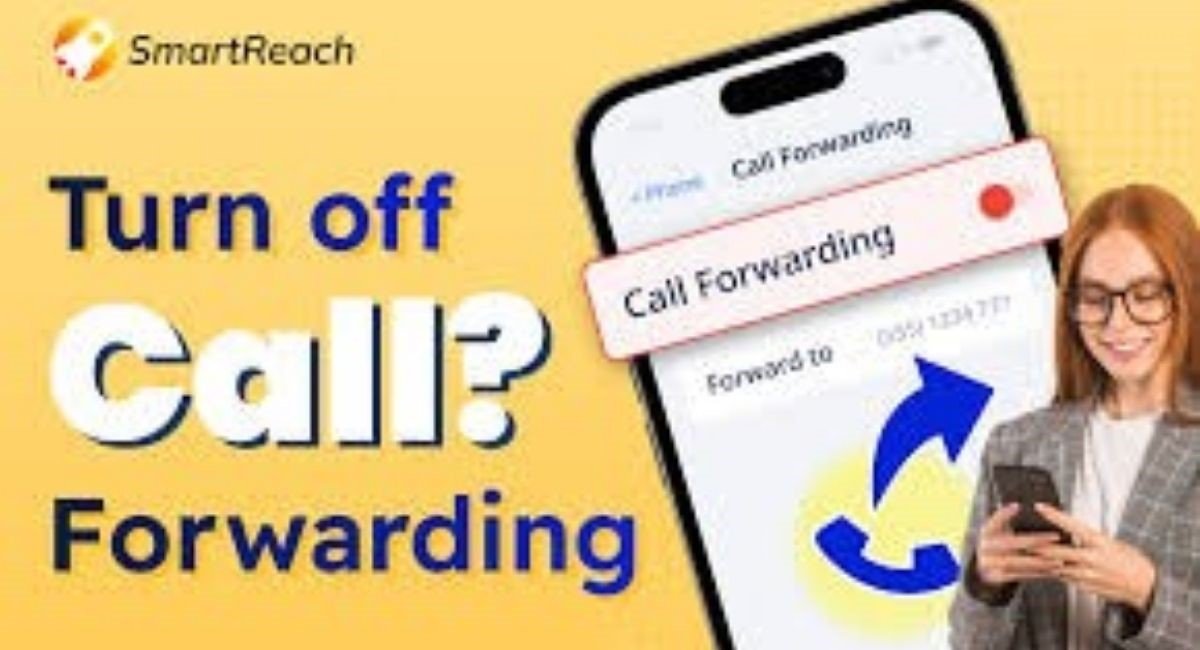
To turn off call forwarding on iPhone, follow these steps carefully:
Go to Settings on your iPhone.
Scroll down and tap Phone.
Select Call Forwarding.
Toggle the switch to turn off call forwarding.
Once you disable call forwarding, wait a few seconds. The change may take a moment because it communicates with your carrier. Always make a test call to confirm that calls are no longer being redirected.
If you want to enable it again, the same menu lets you enter the number where calls should be forwarded.
Sometimes users report call forwarding not turning off iPhone devices. This usually happens due to a software update issue or carrier restrictions. Restarting the phone or updating iOS often helps. If the issue continues, customer support from carrier services can check network call forwarding directly.
How to Turn Call Forwarding On or Off on Android
Android phones have more variation, but the steps are similar on most devices.
To turn off call forwarding on Android:
Open the Phone app.
Tap the three-dot menu.
Go to Settings or Call Settings.
Select Supplementary Services Android options.
Tap Call Forwarding.
Turn off all forwarding rules.
Make sure you disable every option, including always forward, forward when busy, forward when unanswered, and forward when unreachable. Many people turn off only one rule and wonder why the phone is still forwarding calls.
If call forwarding is stuck on Android, restart the phone first. A simple reboot can fix a call forwarding glitch. If that doesn’t help, try a network settings reset. This often solves issues where calls keep going to another number.
Carrier-based Android call forwarding settings sometimes override phone settings, so contacting your mobile carrier is a smart move if nothing works.
How to Enable or Disable Call Forwarding Using USSD Codes
USSD call forwarding codes are quick dial commands that work directly with your carrier. They are especially useful for landline call forwarding , VoIP call forwarding, and older phones.
To enable forwarding calls to another number, many networks use:
Dial *72 followed by the phone number.
Wait for a confirmation tone or message.
To cancel call forwarding using USSD codes:
Dial *73 to cancel call forwarding.
Wait for confirmation.
These are common codes, but they may vary by carrier and country. Some networks use different carrier call forwarding code options. If *72 call forwarding or *73 cancel call forwarding doesn’t work, call your carrier’s support line.
USSD methods are very useful when your phone screen is damaged or when phone app settings aren’t responding properly.
How to Set Conditional Call Forwarding Rules
Conditional call forwarding gives you more control and helps avoid missed calls.
You can set rules like forwarding only when busy or when unanswered. This is ideal if you want to screen calls but still stay reachable.
On smartphones, these options are usually found under call forwarding settings in the Phone app. You can set different numbers for different conditions.
For example, unanswered calls forwarding to voicemail while busy calls go to a colleague. This reduces communication gaps and improves professional call handling.
Always test each rule after setting it. Make a call when the phone is busy, then another when it’s unanswered. This ensures everything works as expected.
Common Call Forwarding Problems and How to Fix Them
Call forwarding not working is a common complaint, but most issues have simple fixes.
If call forwarding won’t turn off, first restart your phone. This clears temporary network issues. If that fails, try a network settings reset.
If your phone is still forwarding calls, double-check every forwarding rule. One active option is enough to redirect calls.
Carrier restrictions can also cause problems. Some carriers manage call forwarding at the network level. In this case, customer support from carrier teams can disable it instantly.
Outdated software may also cause issues. Always keep your phone updated to avoid call forwarding
glitches.
TRENDY INFO.
Important Things to Know Before Using Call Forwarding
Before enabling call forwarding, it’s important to understand the risks and limitations.
There may be call forwarding charges, especially for international call forwarding costs. These charges can add up quickly if you’re not careful.
There are also privacy concerns. Forwarding calls to an unsecure number may expose sensitive information. In professional environments, especially healthcare, secure and HIPAA compliant communication is critical.
Leaving call forwarding on can also lead to missed business calls. Always double-check settings after travel or temporary use.
The best way to manage call forwarding is to keep it simple, test it regularly, and turn it off when no longer needed.
Frequently Asked Questions About Call Forwarding
Many people ask why are my calls being forwarded even when they didn’t set it up. In most cases, it was activated accidentally or by a carrier feature.
Others ask how to turn off call forwarding permanently. The answer is to disable all forwarding options and confirm with a test call.
Some users worry about what happens if call forwarding is left on. The biggest risk is missing calls or exposing your number.
If you ever feel unsure, the safest option is to contact your carrier and ask them to remove call forwarding directly from your line call forwarding.
About the Author